Add a toy
Type in one donated toy, save it as a draft, and make it live when it is ready.
Who can do this: catalogue volunteers (as a draft), coordinators and admins (who can also make it live).
Everything new in Gizzago starts as a draft. Nothing goes on your website until someone makes it live.
Steps
- In the sidebar, choose Toys, then the Add toys tab. You see a card for each way to add toys.
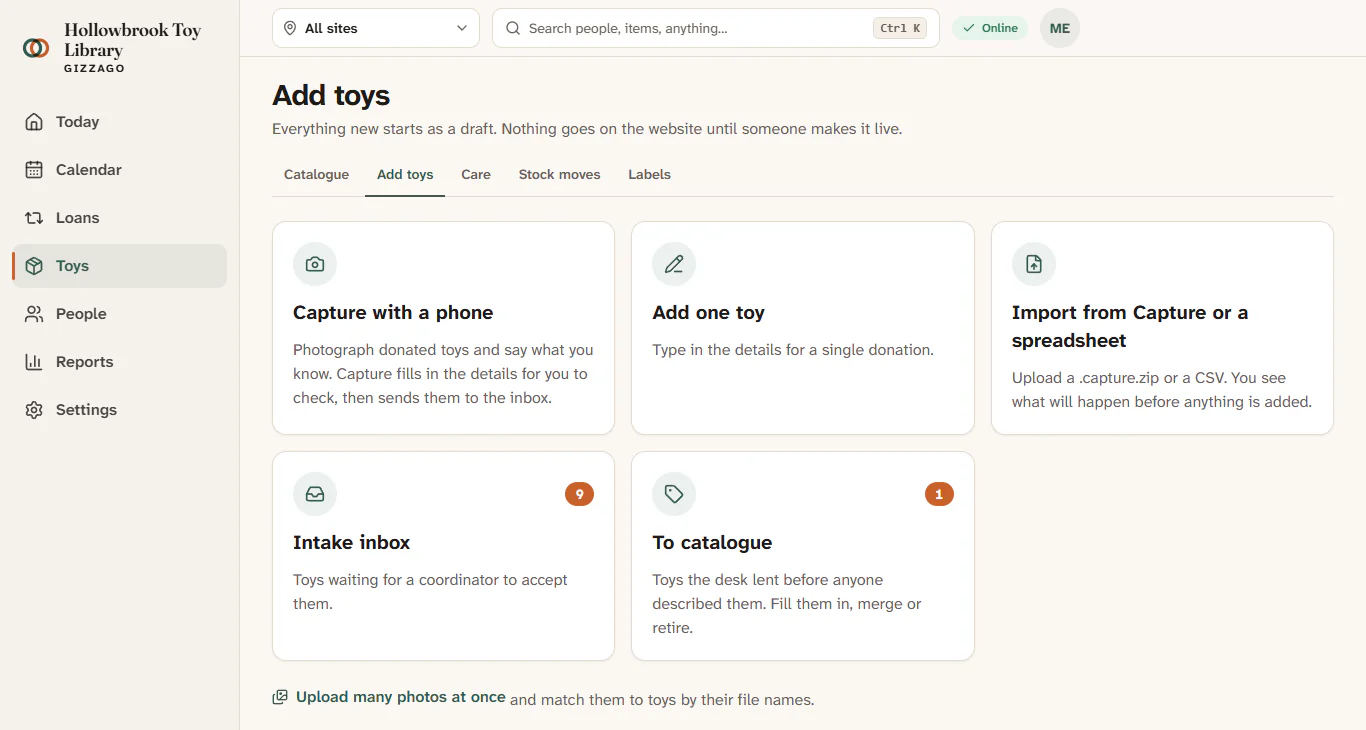
- Choose Add one toy.
- Under What is it?, pick A toy to lend. (Choose A kit or party pack for a kit, or Spares or supplies for things like spare pieces.)
- Fill in Name. Add a Short description (one line for the catalogue card), a Description, the Brand and the Barcode number if you have them.
- Under Finding it, tick one or more Categories and choose an Age.
- Under Lending, leave Fee and Loan period (days) on the library default unless this toy is different. Add a Replacement value if you know it. Leave Members can reserve it and Show it on the website once it is live ticked unless you want to keep the toy back.
- Add any Care and cleaning notes and Safety warnings (for example "Adult supervision needed.").
- Answer Does each one have its own label?
- Yes, each has its own label: every copy gets its own code and history. Choose this for most toys.
- No, they share one label: one code for all of them. Returns may need you to pick the borrower, and there is no history per unit.
- Enter How many, the Condition, the Site and Where it lives (the shelf or store at that site).
- Press Save as a draft. The toy page opens with a Draft badge.
- Open the Photos tab and add a photo. See Add many photos at once for publishing it.
- When the details and photo are right, a coordinator presses Make live.
What you'll see
After saving, the toy page shows Draft, and the Items tab lists the new codes (for example HB-0231 and HB-0232 for two labelled copies). After Make live, the badge says Live and the toy appears in your public catalogue.
If you are not sure about labels
Ask: "Would a member be equally happy with any of these?" If yes, they are one toy. Whether each one gets its own label is a separate choice, and you can change it later. See Labelled copies and counted stock.
Other ways to add toys
- Capture with a phone: photograph donations and let Gizzago suggest the details. See Photograph donations with Capture.
- Import from Capture or a spreadsheet: bring in many at once. See Import from a spreadsheet or a Capture file.
- A toy lent at the desk before anyone described it goes to To catalogue. See The To catalogue queue.