The To catalogue queue
Describe the toys that were lent at the desk before they were in the catalogue, without losing who borrowed them.
Who can do this: coordinators and admins. Catalogue volunteers can see the queue and catalogue a toy as a draft, but cannot make it live, merge it or retire it.
When the desk lends a toy that is not in the catalogue yet, Gizzago gives it a code and adds it here. It lends and comes back like any other toy, but stays off your website and cannot be reserved until it is catalogued.
Steps
- Open the queue in one of three ways:
- On Today, under Needs attention, find "2 toys to catalogue" and press Catalogue.
- In the sidebar, choose Toys, then Add toys, then the To catalogue card (it shows a count).
- In the Intake inbox, click the To catalogue chip.
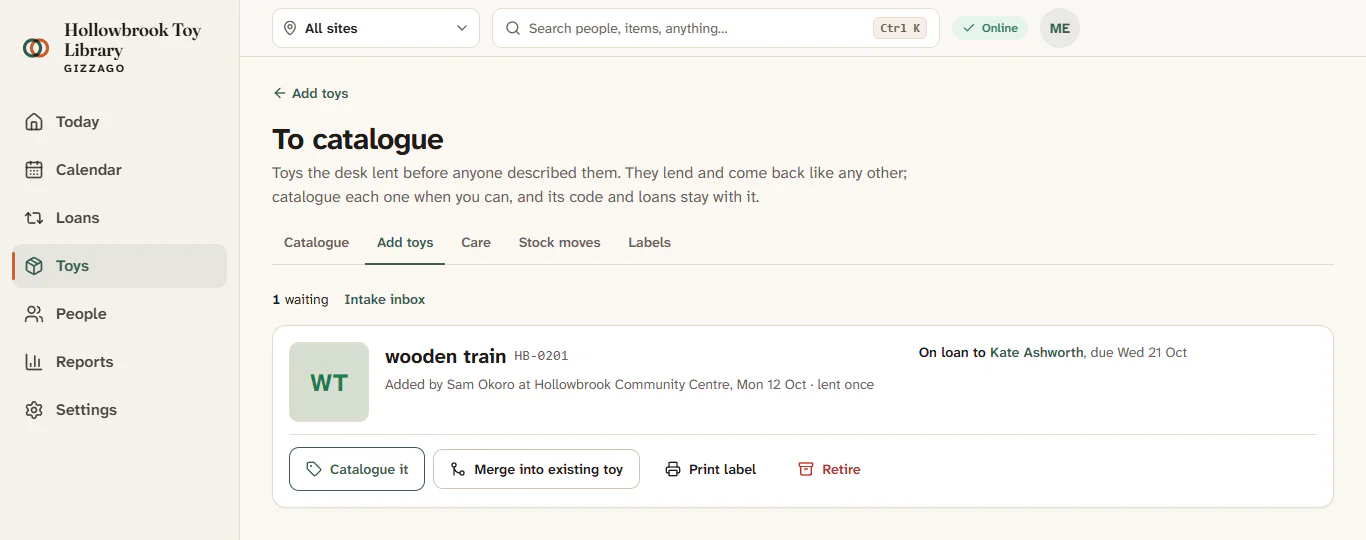
- Read each row: the name as typed at the desk, its code, "Added by Sam at Hollowbrook Community Centre" with the date, how many times it has been lent, and where it is now ("On loan to Kate Ashworth, due Sat 24 Oct", "On the shelf at St Aidan's Church Hall" or "Marked lost").
- Choose what to do with it:
- Catalogue it opens the normal toy form, titled for example Catalogue "wooden train". Fill in the name, photo, age, pieces and so on, then press Catalogue it and make it live or Catalogue it as a draft. Its code and loans stay exactly as they are.
- Merge into existing toy, if it turns out you already have it. Type in Find the existing toy, press Search, choose the right one, then press Merge into Balance board. The code and its loans move across, and this entry is archived.
- Print label opens the label sheet for its code.
- Retire, for something broken, a one-off or not yours. Type a reason under Why retire it?, then press Retire wooden train.
The row leaves the queue. After merging, a message says "Merged into Balance board. HB-0245 and its loans moved with it." After cataloguing, the toy page opens with a Live or Draft badge.
Good to know
- A toy that is out on loan cannot be retired. Retire it once it is back, or mark it lost from its item page.
- A toy still in the queue after 60 days shows "Still to catalogue after 60 days" in amber, and Today mentions it too.
- If it is already a counted toy (five identical balance boards, say), merging makes it another copy. To fold it into the count, use Merge with another on the copy's page afterwards. See Labelled copies and counted stock.
- Members see it under its typed name, marked "Not fully catalogued yet".
Fill it in from Capture
If someone photographs the toy in Capture, the record says it "Looks like wooden train, which the desk is lending before it was catalogued". After it is sent, the Intake inbox shows Fill in wooden train. Pressing it copies the details and photos onto the toy and keeps its code and loans. See The Intake inbox.